The kitchen timer that tells you, out loud, when it's ready
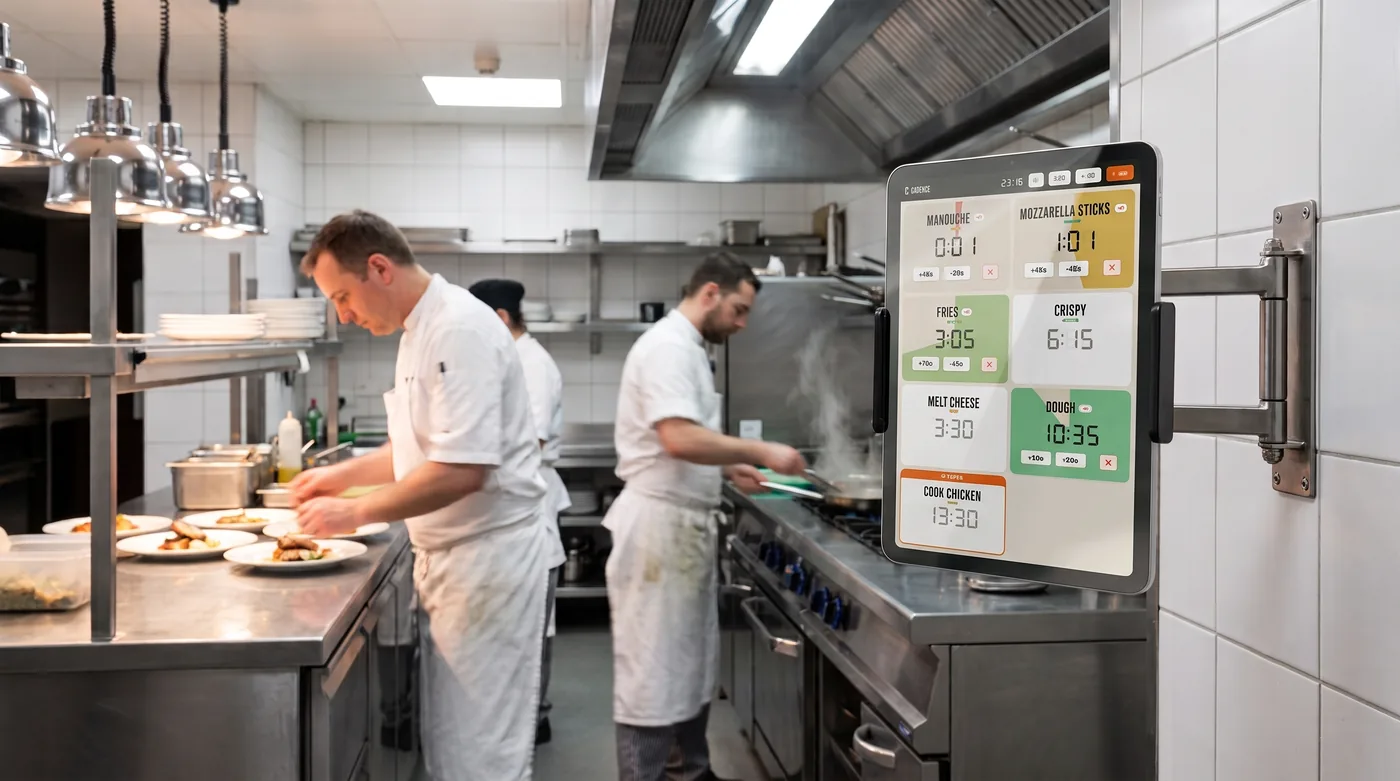
Every dish on one tablet. A different ring for each one, a voice that calls it out by name. Ridiculously simple.

Built by restaurant people, for restaurant people— and passionate home cooks too.
No more burnt food, no more dinner-rush panic
Ten timers on the pass, ten identical beeps. Nobody knows which one is ringing, you leave your station to go check, and the fish is toast. We got fed up, so we coded it.
- “It's ringing… but which one? They all sound the same”
- “I checked the wrong timer and the fish burned”
- “You can't hear the beep over the noise of service”
- “The temp doesn't know which timer is theirs”
A voice that names the dish, a different ring for each one: you instantly know what's ready.
Download nowSpoken reminders, at every station
Every dish runs through its steps on its own
A dish is rarely a single countdown. You sear, you flip, you let it rest. The app chains the steps without you touching a thing and announces every change out loud: “flip the fish”, then “the fish is ready”. Your hands stay on the food — the info reaches your ear.
- Named cooking steps: sear, flip, rest
- The next step and the finished dish announced by name
- Hands-free: you never leave your station
Every dish gets its own kitchen timer ring
Fries, fish, steak, focaccia: every dish gets its own ring. The second it goes off, you know what's ready without looking up. No more ten identical beeps — twelve rings to choose from, and the voice names the dish on top.
- You know which dish it is by ear, without checking the screen
- Set up once, works for the whole crew
Mise en place, but for time: your recipes, your own cook times
The restaurant saves its own cook times once. Pick the dish and it starts with the right times and the right steps. The app repeats your method — it never invents a cook time. The fish comes out the same whether it's the chef or the Saturday temp.
- Your dishes, your names, your cook times saved
- The same result every service, at every station
- A new hire up and running in five minutes, guided by voice
- English and French for the whole crew
Classic kitchen timer VS our app: what changes?
What changes, line by line, between classic timer units and our app.
For the people who live the rush
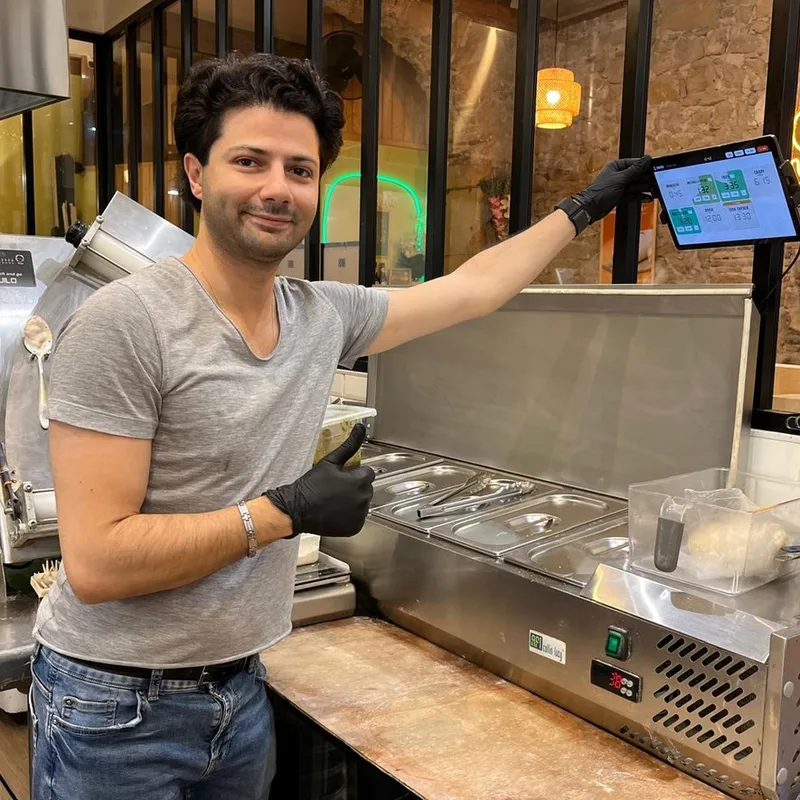
Built by restaurant owners, tested in live service
“We cooked this app for our own kitchen in Lyon. We use it every single service. Now we're opening it to other kitchens — pros and home cooks alike.”
The questions we get asked
What is the best timer app for a professional kitchen?
The one that runs multiple dishes at once, announces out loud when food is ready, and repeats your own cook times. Most cooking timer apps are built for one person's phone. This one is built for a tablet mounted on the kitchen line, in the middle of service.
How do you time multiple dishes at once without mixing them up?
Run multiple timers side by side: every dish carries its name on screen and in the voice announcements, and each one can carry its own ring. Five or twenty dishes can run in parallel: you know right away which one is ringing. No more mistaking the fish timer for the sides.
Does the app work on iPad, Android tablets and iPhone?
Yes, on all of them. A basic iPad or a cheap Android tablet, wall-mounted with the screen always on, is enough — and it also runs on iPhone and Android phones when you want a cooking timer in your pocket. You equip every station with the same app.
Does the timer announce out loud when a dish is ready?
Yes. The app announces the next step and then the finished dish, by name, out loud. Your hands stay on the food — the info reaches your ear without staring at a screen.
Can you save your own recipes and cook times?
That's the whole point. You enter your dishes, times and steps once. The app repeats your house method identically on every tablet. It never invents a cook time.
Does the app work offline, without an internet connection?
Yes. Every tablet is self-sufficient and stores everything locally. If the wifi drops mid-rush, service goes on uninterrupted.
Can one timer chain multiple cooking steps?
Yes — it's the heart of the app. A dish can have multiple named steps (sear, flip, rest) that chain automatically, with a voice announcement at every step change.
Is the app available on the App Store and Google Play, and is it free?
It's coming soon to the App Store and Google Play. It's free, with no account to create and no subscription.
Coming soon to your tablets and phones. Free.
The timer is coming to the App Store and Google Play. Free, no account needed.